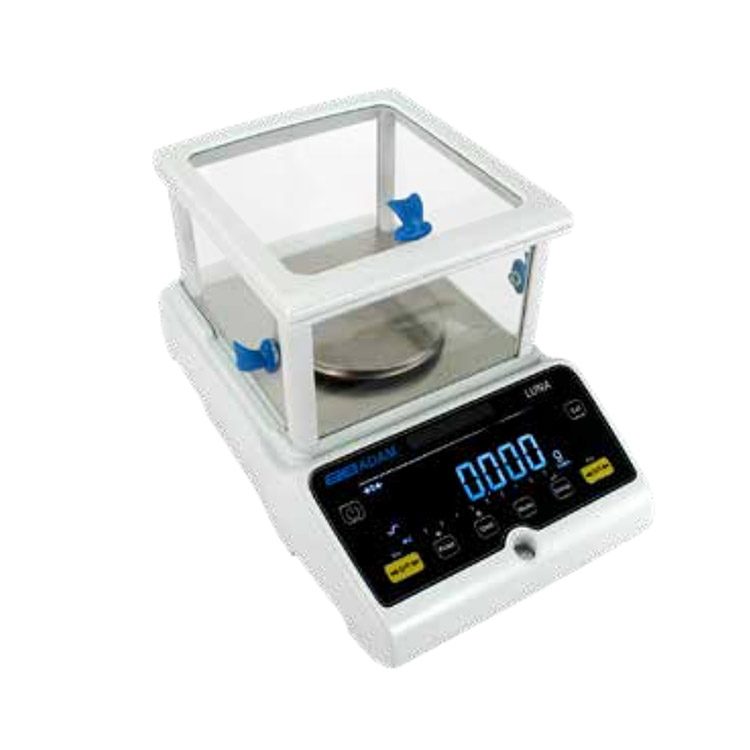
an electric precision balance with an extra (auxiliary) LCD display is a common configuration for "Legal for Trade" transactions (like jewelry sales) or for teaching environments where students and instructors both need to see the reading simultaneously.
These secondary displays are typically called Remote or Auxiliary Displays.
1. Popular 2026 Models with Extra Display Options
|
Brand |
Model |
Display Type |
Connection Method |
|
Mettler Toledo |
MA / MR Series |
Auxiliary LCD |
RS232 Port: Plug-and-play; powered directly by the balance (no wall outlet needed). |
|
Ohaus |
Pioneer PX |
2-Line LCD |
Built-In: Features a unique "second line" display on the main unit for guidance. |
|
Ohaus |
Explorer |
Detachable TFT |
Modular: The 5.7" color touchscreen can be detached and mounted 10ft away. |
|
A&D |
GX-A / GF-A |
AD-8920A |
Wireless/Serial: Remote display refresh rate of 20 times per second. |
|
Sartorius |
Cubis II |
MCA/MCE |
Modular: Large 7" auxiliary tablets can be used as a remote control interface. |
2. Why Use an Extra LCD Display?
- Transparency for Customers: In jewelry or gold trade, law often requires the customer to see the weight reading clearly while the merchant operates the scale.
- Large Sample Visibility: If you are weighing bulky items (like a large bucket) that hang over the edge of the scale and block the built-in screen, a remote display placed on a wall or a stand is essential.
- Fume Hood Safety: You can keep the weighing base inside a protective glass draft shield or fume hood while keeping the display outside at eye level, preventing you from inhaling chemical vapors.
- Instructional Use: In university labs, a second display allows a lab partner or instructor to record data without crowding the operator.
3. Connection and Technology
- Power Source: Most modern 2026 auxiliary displays (like the Mettler Toledo AD7-RS) are "bus-powered," meaning they draw power directly from the balance’s RS232 or USB port. No extra power cord is required.
- Wireless Options: Higher-end models now offer Bluetooth auxiliary displays. This allows you to carry a small LCD tablet around the lab while the balance remains on a stable, vibration-free table.
- Angle Adjustment: Most extra displays feature a tiltable stand or a wall-mount kit to eliminate glare from overhead lab lights.
4. Setup Tip: The "Baud Rate" Match
Technical Note: If your extra display isn't showing digits, it’s usually a communication mismatch. You must go into the balance's menu and ensure the Baud Rate (usually 9600 or 115200) and Parity settings match the settings of the auxiliary display exactly. In 2026, many models have an "Auto-Recognize" feature to handle this automatically.