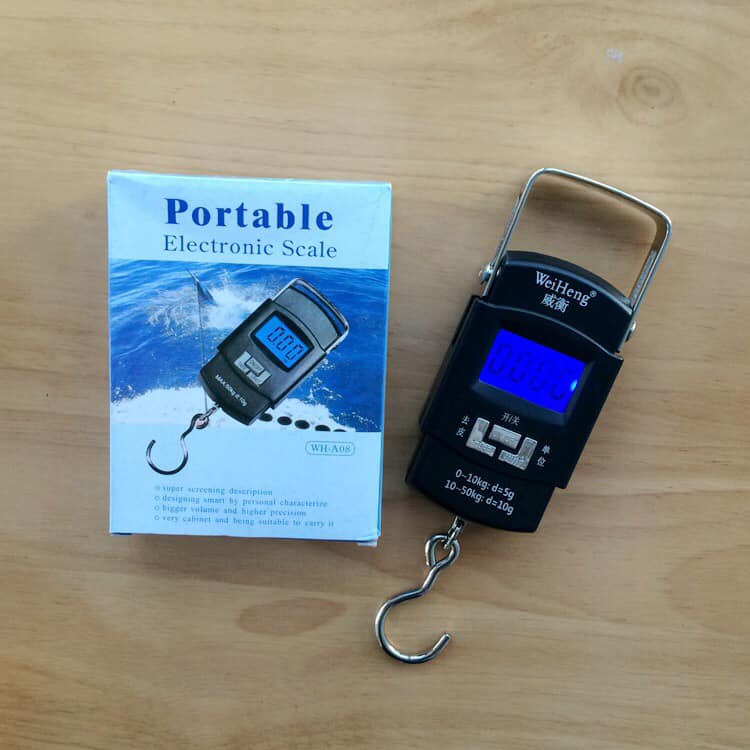
In 2026, the Data Lock (or Auto-Hold) function is considered the most critical feature of a digital luggage scale. It allows you to lift a heavy bag, wait for a signal (usually a beep or a flash), and then set the bag back down to read the weight at eye level.
Without this function, you would have to crane your neck to see the screen while straining to hold 23kg–50kg perfectly still—which often leads to inaccurate readings.
1. How Data Lock Works (The 3-Step Process)
- The Stabilizing Phase: As you lift, the numbers on the LCD will fluctuate. Most 2026 models use "anti-shake" firmware to filter out natural hand tremors.
- The Lock Signal: Once the scale detects a consistent weight for 2–3 seconds, it will "lock." You will typically see a "HOLD" or "H" icon appear on the screen, and the device will often emit a beep.
- The Memory Period: The weight stays frozen on the LCD for 30 to 60 seconds (even after you set the bag down), giving you plenty of time to check it against airline limits.
2. Top Scales with Premium Data Lock (2026)
3. Pro-Tips for Using Data Lock Correctly
- The "Wait for Zero": Always wait for the screen to show 0.00 before attaching your bag. If you move the scale while it's "zeroing," the Data Lock might trigger prematurely or show an error.
- Avoid "Shock Loading": Do not jerk the bag upward. Rapid acceleration can trick the Data Lock into "freezing" at a peak force that is 1–2kg higher than the actual mass of the bag. Lift in one smooth, slow motion.
- Manual Unlock: If you want to weigh the bag again immediately, usually a single quick press of the Power/Tare button will "unlock" the data and return the scale to live weighing mode.
4. Troubleshooting a "Failed" Lock
If your scale refuses to lock onto a weight:
- Check the Battery: Low voltage is the #1 cause of sensor "jitter" that prevents a lock.
- Minimize Sway: If the bag is swinging like a pendulum, the sensor cannot find a stable average. Use your other hand to steady the strap (without supporting any weight).
- Surface Check: Ensure the bag is completely off the ground. Even a corner touching the floor will cause the numbers to drift indefinitely.